
Plots
Create plots with the selection wand, then rent or sell them to players.
A plot is a 3D region of your world that players can rent or buy. Owners and members can build and run shops inside; outsiders can't.
Create a plot
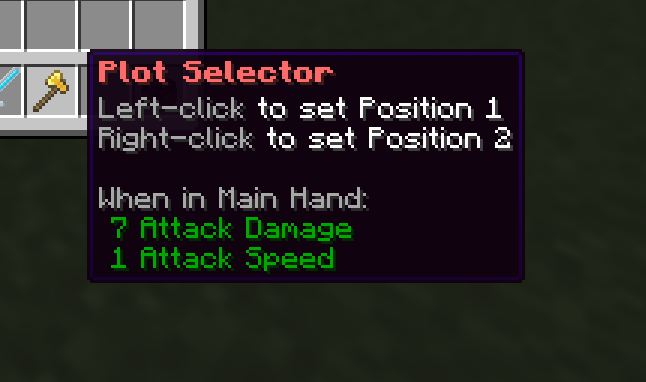
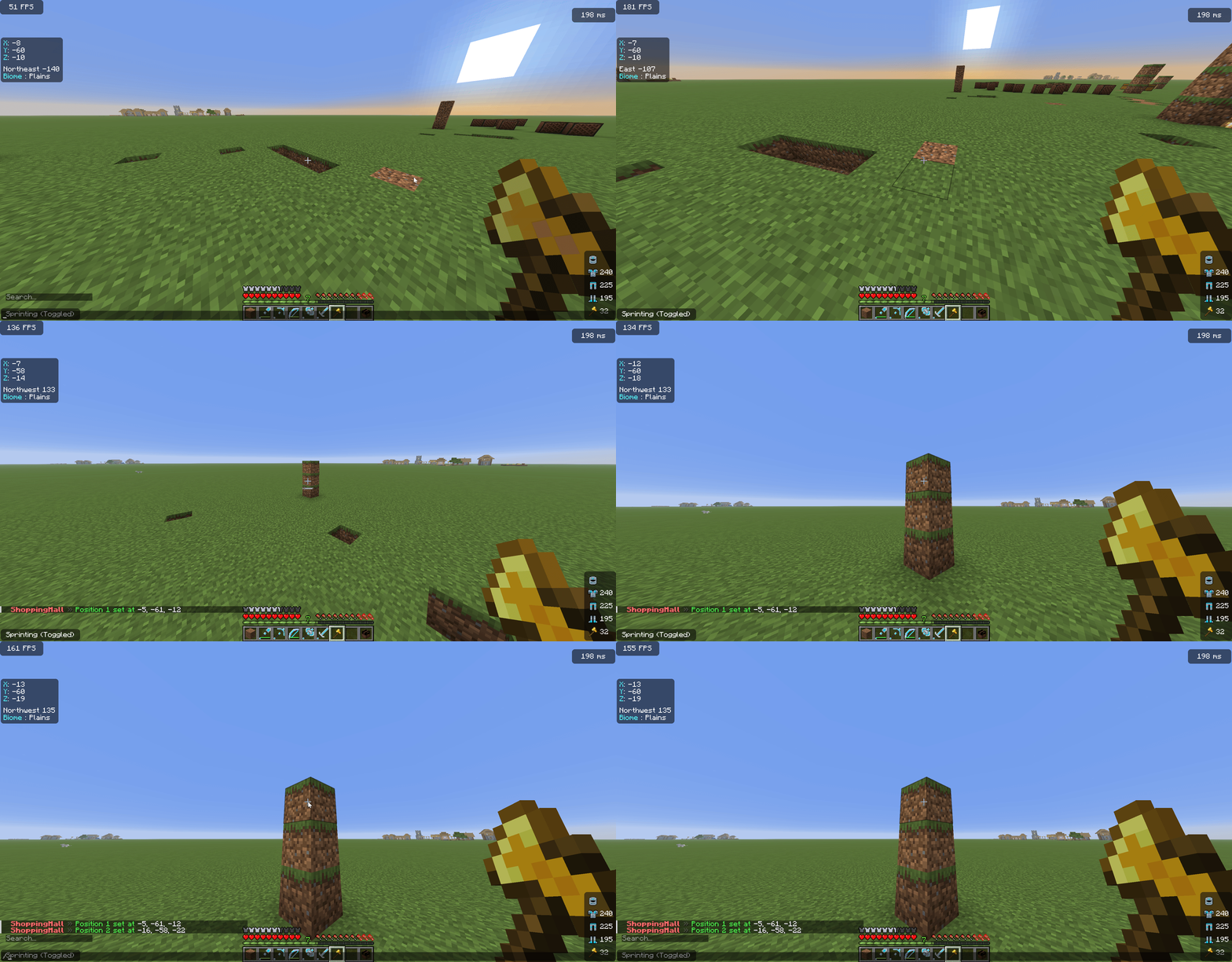
Create it
Run /sm create <id>, for example /sm create shop1.
Tip: run /sm showplots to see the boundaries of nearby plots drawn as particles. Use
/sm redefine <id> (with a fresh wand selection) to resize an existing plot.
List a plot for rent or sale
Set a price so players can claim it. The plot must be unoccupied.
| Command | Effect |
|---|---|
/sm setrent <plot> <amount> | List the plot for rent at <amount> per cycle. |
/sm setprice <plot> <amount> | List the plot for one-time purchase. |
/sm delist <plot> | Remove both the rent and purchase listings. |
To change a price on a plot that's already occupied, use /sm forcesetrent /
/sm forcesetprice.
Price tiers
Instead of typing a number on every plot, define named price tiers once and
apply them by name. There are two separate lists, rent tiers and buy tiers,
so the same name (like small) can mean one rent price and one purchase price.
Tiers live in tiers.yml (edit by hand and /sm reload, or use the commands):
| Command | Effect |
|---|---|
/sm tier create <rent|buy> <name> <price> | Add a new tier. |
/sm tier set <rent|buy> <name> <price> | Change a tier's price, and re-price every plot on it. |
/sm tier delete <rent|buy> <name> | Remove a tier (plots on it keep their last price). |
/sm tier list <rent|buy> | Show all tiers of that kind. |
/sm settier <plot> <rent|buy> <tier> [force] | Put a plot on a tier. force overrides an occupied plot. |
A plot remembers the tier it's on, so editing that tier's price with
/sm tier set updates the plot automatically. Editing a price by hand in
tiers.yml and running /sm reload also re-prices every plot on that tier (a
plot on a tier you deleted by hand keeps its last price). Setting a raw price on the plot
(/sm setrent, /sm setprice, delisting, or the GUI price prompt) takes the plot
off its tier. In the admin plot GUI, the Set Rent Price and Set Purchase
Price buttons do both jobs: clicking one asks for a custom price in chat and
lists the preset tiers as clickable options at the same time. Type a number, or
click a tier, or type cancel. Each button's lore shows the plot's current tier.
Renting and buying (players)
Players claim listed plots from the Browse Plots menu (/sm → Browse Plots) or by
standing in the plot and using the menu. After that:
/sm pay [plot]: pay the current rent cycle./sm autorenew on|off: let rent auto-pay from the player's balance each cycle./sm balance: check balance and plot info.
See Rent & Eviction for the full rent cycle.
Manage your plot
| Command | Who | Effect |
|---|---|---|
/sm members add|remove <player> | Owner, in plot | Grant or revoke build/shop access. |
/sm setentrance | Owner/member, in plot | Set the teleport-in point for the plot. |
/sm info [plot] | Anyone | Show plot status, owner, price, members. |
/sm tp <plot> | With access | Teleport to a plot you can access. |
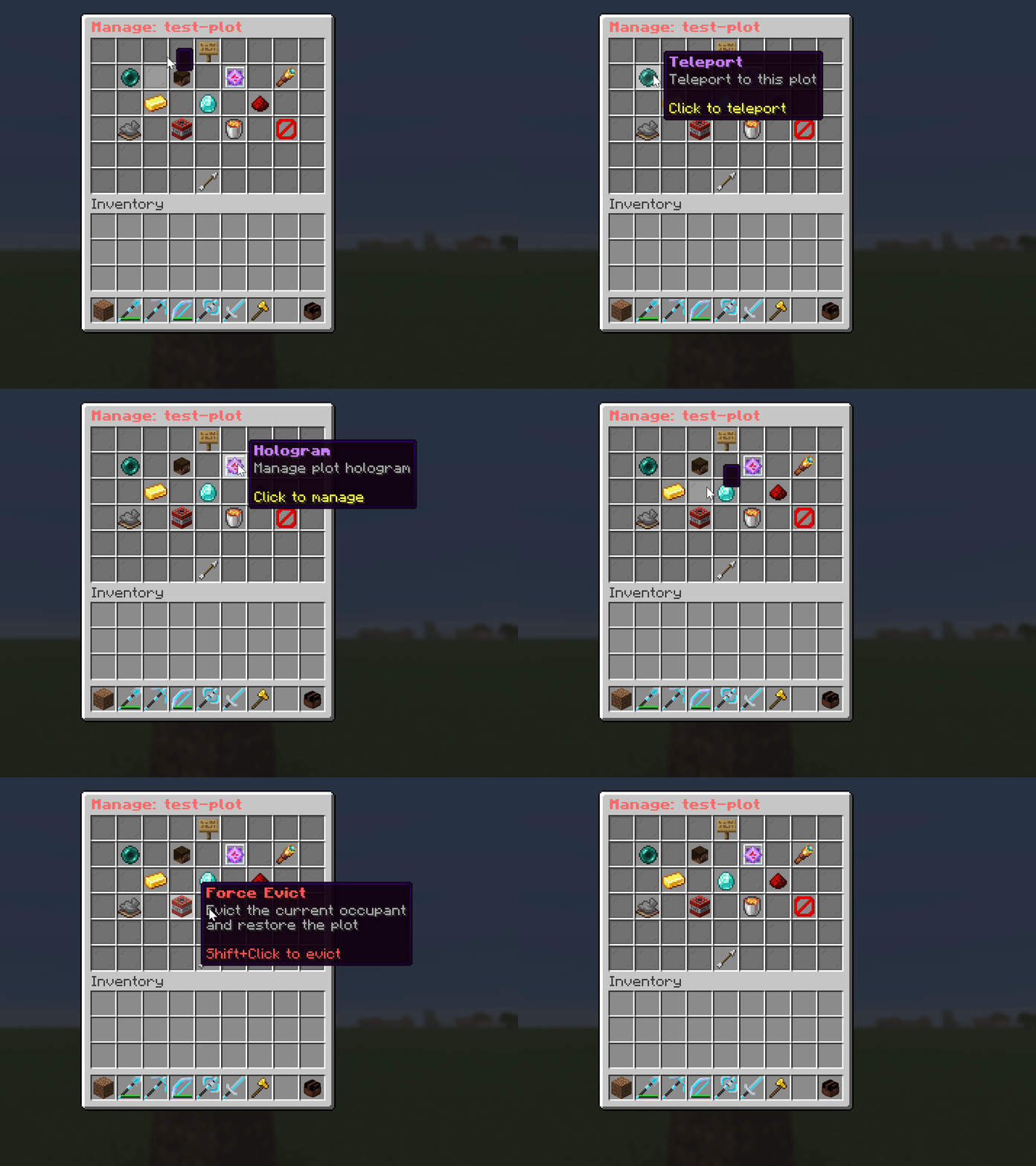
/sm hologram | Owner/member, in plot | Manage the plot's hologram. |
Protection
Every plot is protected automatically, with no setup needed. Inside a plot:
- Only the owner and members can break or place blocks, open containers, and use things like doors, item frames, and armor stands. Everyone else is blocked.
- Explosions, fire spread, and block burning are stopped inside the plot bounds.
- PVP is off by default. Toggle it live with
/sm togglepvp, or setprotection.pvp-enabledin the config. - Admins (
shoppingmall.admin) bypass all of these.
WorldGuard (optional)
Plot protection works on its own, with or without WorldGuard. WorldGuard matters in just one
case: if your mall sits inside a larger WorldGuard region that denies building (a spawn
region, for example), that region would otherwise stop tenants building in their own plot.
With WorldGuard installed, the plugin creates a small higher-priority region for each plot
that allows access, so members can build while the surrounding area stays locked down.
These regions are named sm_plot_<id> and stay in sync automatically.
Admin tools
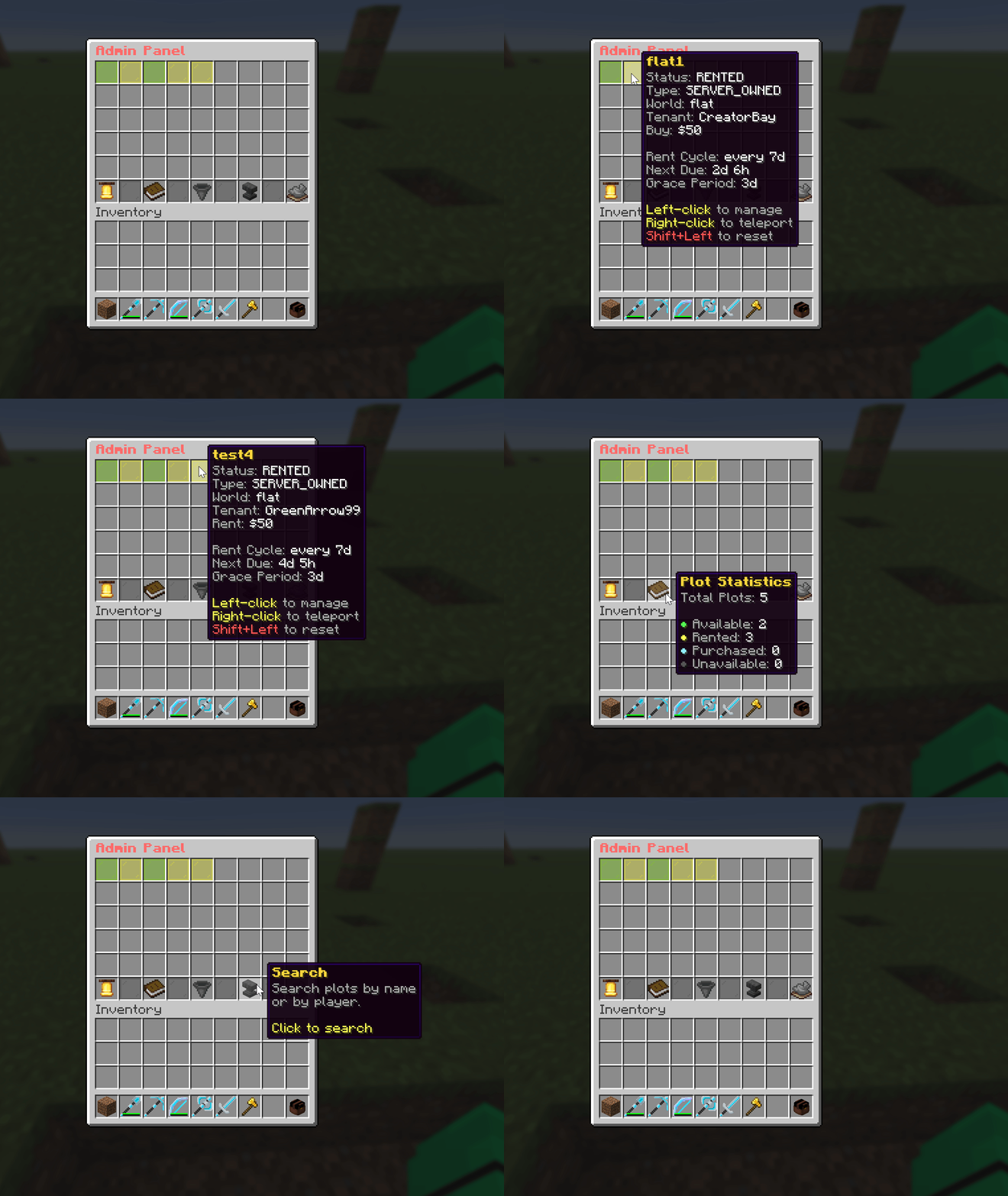
/sm admin: GUI to manage any plot (prices, status, occupants)./sm savepreset <plot>: save the plot's current blocks as its reset state, restored when the plot is cleared./sm delete <plot>: permanently delete a plot./sm togglepvp: toggle PVP inside plots (live override of the config value).
Browsing plots in the /sm admin panel:
Managing a single plot from the admin panel:
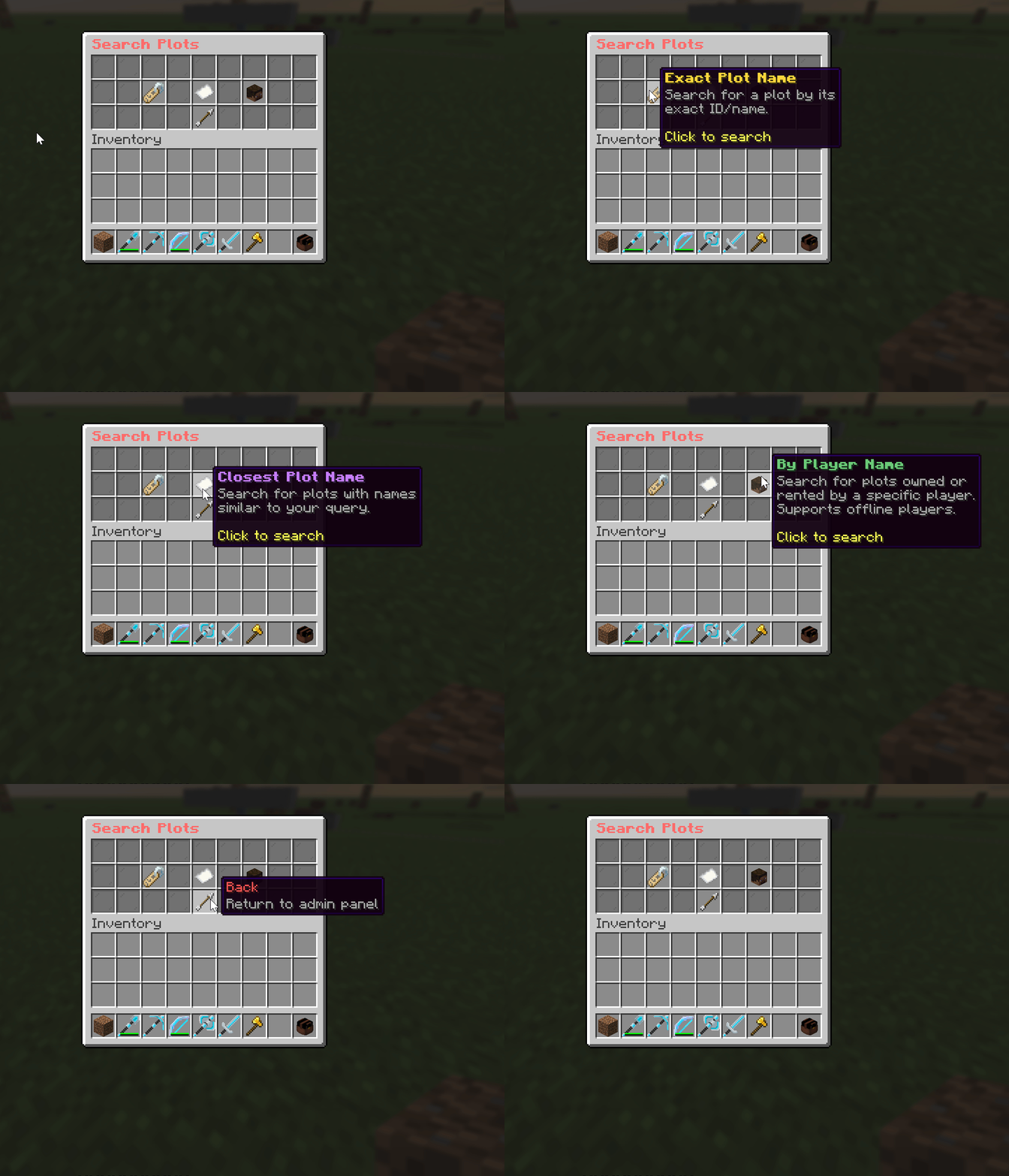
The panel offers three ways to find a plot: exact name, closest name, and by player name:
For force-removing occupants, see Rent & Eviction → Force eviction.